iPeng 1.2 verfügbar
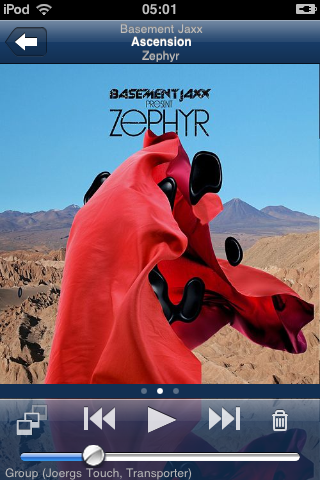
iPeng 1.2 ist die nunmehr dritte überarbeitete Version von iPeng, die mit wesentlichen Veränderungen einhergeht und iPeng zu einer noch besseren Fernbedienung für Deine Musik macht!
Optimiert für Squeezebox™ Server 7.4
iPeng 1.2 ist eine komplementäres Version zum Squeezebox Server 7.4 und zu MySqueezebox.com. Es unterstützt diese Versionen vollständig und benutzt in weiten Teilen die gleichen UI-Konzepte.
Was ist neu in iPeng 1.2?
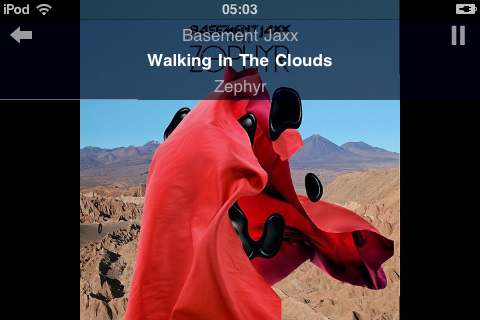
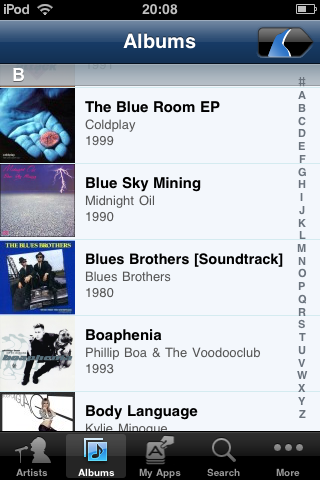
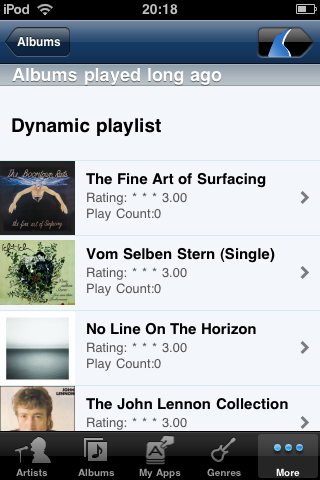
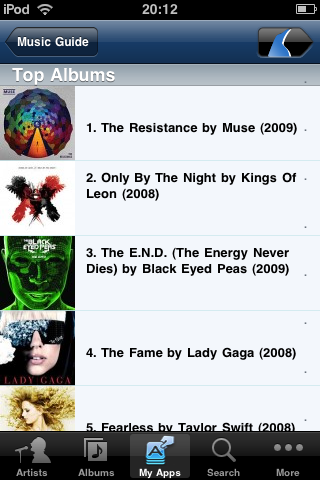
- Neuer Look und neues Icon.
- Neue Benutzerschnittstelle, die Mehrfachfunktionen über Kontextmenüs anstelle von Modi steuert.
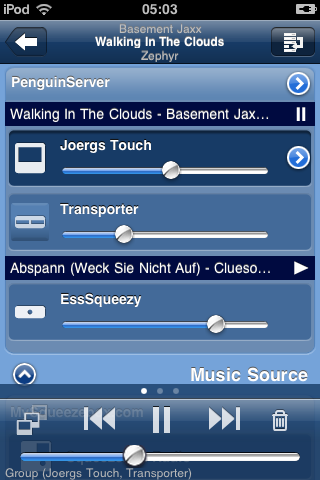
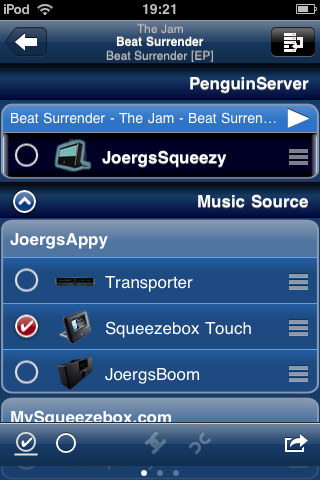
- Die neue MultiPlayer-Kontrollseite erlaubt ein einfacheres Player-Management (Synchronisieren, Wechseln zwischen Musikquellen, usw.).
- Mehrere synchronisierte Player können als Gruppe gesteuert werden.
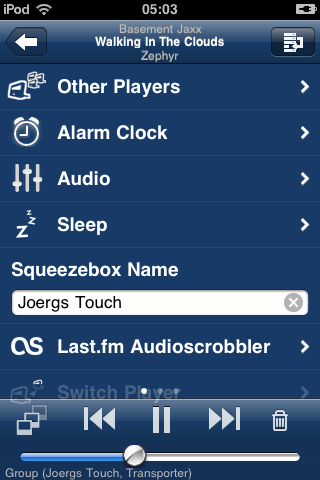
- Ein Player-Kontextmenü, das alle Player-Eigenschaften bündelt, erreichbar über die MultiPlayer Control.
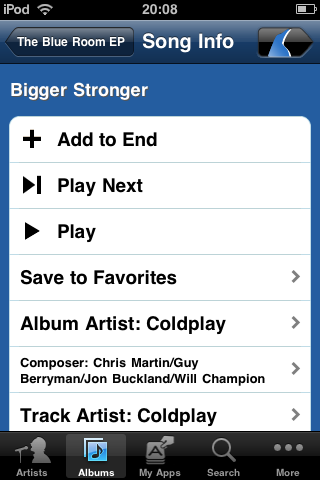
- Kontextmenüs für den aktuellen Titel und Titel in der aktuellen Wiedergabeliste.
- Verbesserte Verwaltung der aktuellen Wiedergabeliste inklusive der Option, sie zu speichern.
- Kurze Einführungen erklären die Funktion von iPeng.
- …viele weitere Details.
Neue User Interface und neuer Look
Das erste, was Euch auffallen wird, ist die neue Farbgebung. Damit aber nicht genug: iPeng verfügt jetzt über ein stringentes UI-Konzept, welches versucht, Konfusion über SqueezePlay-Menüs und verschiedene Wiedergabe-Modi zu vermeiden. iPengs neue Bedienlogik funktioniert so:
- Zu jedem Element, das über mehr als eine Funktion verfügt, gibt es ein Kontextmenü.
- Das Kontextmenü erreicht man mit der „Halten“-Geste ( indem man ein Element für ca. 1 Sekunde gedrückt hält). Nach diesem Prinzip funktionieren alle untergeordneten Menüs, z.B. Menüs, Bibliotheks-Elemente, Album-Cover auf der “NowPlaying” Seite, Titel in der Wiedergabeliste, aktueller Player.
- Mit einfachem Anklicken eines Elements wird die jeweilige Standardaktion ausgeführt. In den meisten Fällen bedeutet dies, dass ein untergeordnetes Menü angezeigt wird.
- Wenn ein Albumcover innerhalb eines Menüs angeklickt wird, wird das entsprechende Album sofort abgespielt (es gibt ein oder zwei Ausnhamen, in denen das Abspielen nicht sinnvoll wäre).
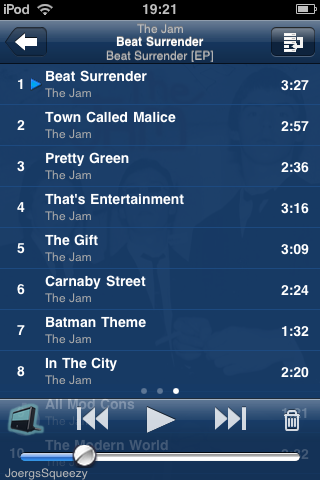
Es gibt eine Ausnahme: Beim Ansehen eines Albums oder einer Wiedergabeliste (also bei allen Menüs, die ausschließlich Titel enthalten) bleibt das alte „Modus“-Schema erhalten. Dies bietet schnelleren Zugang zu einzelnen Titeln, wenn man ganze Alben abspielen oder Wiedergabelisten erstellen möchte. Für viele User sind dies die häufigsten Aktionen.
Hierzu eine kurzer Überblick der wichtigsten Funktionen und Einstellungen:
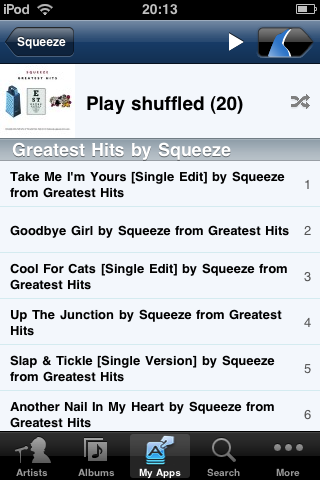
- Es gibt drei Modi (Voreinstellungen) im Navigationsbalken, die darüber entscheiden, welche Aktionen ausgeführt werden, wenn Du einen Titel anklickst:
- Mit play wird das gesamte Album von dem entsprechenden Track an abgespielt.
- Mit add wird der Track an das Ende der Wiedergabeliste angehängt.
- Mit play-next wird der Track an den aktuellen Track in der Wiedergabeliste angehängt.
- Mit hold wird, wie immer, ein Kontextmenü eröffnet.
Die neue MultiPlayer Control
Zunächst einmal: Ja, jetzt kann man scrollen
. Abgesehen davon ist das Ganze komplett neu entworfen worden.
- Synchronisierte Player werden jetzt als Gruppen zusammengefasst. Man kann sie anhand des aktuell abgespielten Titels und des Wiedergabestatus unterscheiden. Dem untergeordnet sind die einzelnen Player, für die man Lautstärke und Ein/Aus individuell einstellen kann.
- Die Multi Player Control hat einen Bearbeitungs-Modus, anhand dessen man Player zwischen synchronisierten Gruppen und Musikquellen verschieben kann. Dies kann mithilfe von „drag’n’drop“ ausgeführt werden oder indem man eine Befehlstaste verwendet.
Kontrolle von synchronisierten Player-Gruppen
Wenn Du einen Player aus einer synchronisierten Gruppe auswählst, gelten die “großen” Kontrollelemente für die Lautstärke und für Ein/Aus nicht mehr nur für den einzelnen Player, sondern für die gesamte Gruppe. Diese Funktion unterscheidet sich ausdrücklich von den „Sync Power-“ und „Sync Volume-“Einstellungen für Squeezebox Server, da Du weiterhin individuelle Kontrolle über jeden einzelnen Player hast.
- Der Lautstärkeregler zeigt die durchschnittliche Lautstärke der synchronisierten Gruppe an. Wenn man den Regler verschiebt, wird die Lautstärke auf allen Playern synchron verändert. Die relative Lautstärke zwischen Playern lässt sich über die Regler in der MultiPlayer Control ändern.
- Mit der Ein/Aus-Taste werden alle synchronisierten Player an- und ausgeschaltet. Über die MultiPlayer Control kann jedoch auch diese Einstellung für die einzelnen Player verändert werden.
Player Kontextmenü
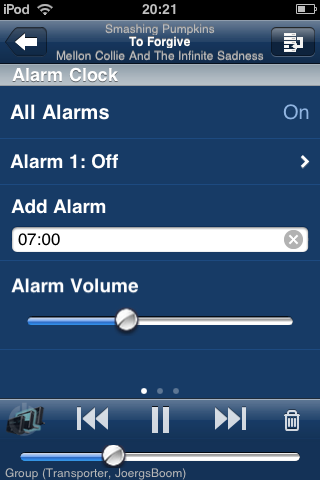
Durch Anklicken der Accessory-Taste (“>”) unter dem aktuellen Player in der MultiPlayer Control oder durch Ausführen der Geste hold öffnet sich ein Player-Kontextmenü. Dieses Menü bündelt alle player-spezifischen Einstellungen wie z.B.
- Wecker
- Sleep
- Player-Name
- bestimmte Plugins für den Player
- digitale Eingänge (nur Transporter).
NowPlaying-Kontextmenüs
Das Titelbild in NowPlaying und die Titel in der aktuellen Wiedergabeliste verfügen jetzt über ein Trackinfo-Kontextmenü, welches Zugang zu folgenden Funktionen ermöglicht:
- Hinzufügen zu Favoriten
- Durchsuchen der Musiksammlung nach Künstler, Album, etc.
- Zugriff auf ähnliche Musik durch Apps
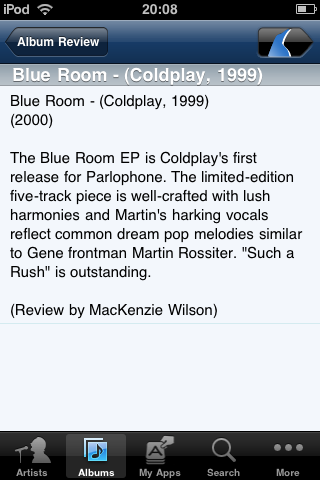
- Zusätzliche Informationen über den aktuellen Titel
Aktuelle Wiedergabeliste
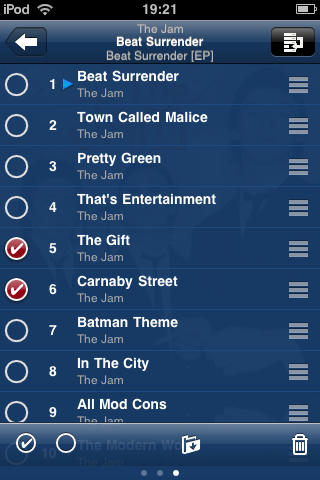
- Löschen von Einträgen asu der Wiedergabeliste ermöglicht jetzt, mehrere Titel gleichzeitig zu löschen
- Die aktuelle Wiedergabeliste kann gespeichert werden.
Und viel mehr….
- Die Verbindung zum Server kann erhalten bleiben (zumindest für 30min.)
- WLAN schaltet sich nicht mehr von alleine aus, solange iPeng im Vordergrund läuft.
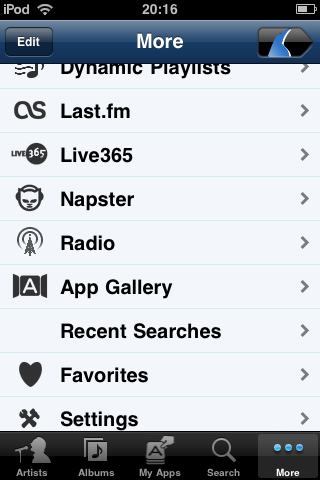
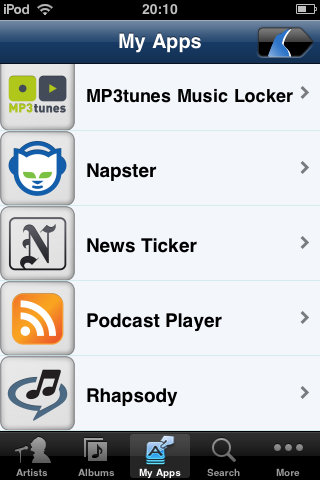
- Apps können im Hauptmenü untergebracht werden
- und noch mehr…
Und wie immer: Viel Spaß mit iPeng!

Donnerstag, der 1. Oktober 2009 at 13:54
[...] es möchte die Fernbedienung von Logitech’s Squeezbox sein. Für 7,99 EUR gibt es jetzt die neue Version 1.2. Bevor man zuschlägt sollte man aber einen Blick auf die Beschreibung im App-Store werfen: einige [...]
Donnerstag, der 1. Oktober 2009 at 23:12
Optimized for 7.4. Is this still compatible with 7.3 or should I hold of upgrading?
Donnerstag, der 1. Oktober 2009 at 23:18
AJ,
iPeng 1.2 is still fully compatible with SC 7.3. It will have less content in some context menus and you won’t be able to use some of the new features that require 7.4 (e.g. being able to put Music Services into the top level menu) but everything that worked in 1.1.2 should work in 1.2, too.
Samstag, der 3. Oktober 2009 at 02:36
Is 1.2 a free or lower cost upgrade from 1.1.2? Or still $9.99?
Awesome app!!
Samstag, der 3. Oktober 2009 at 03:20
So far, all updates on App Store are free
Sonntag, der 4. Oktober 2009 at 02:37
Is there a manual addendum for the changes in 1.2? Or just some detailed info on how the player-sync settings etc. now work?
Thanks!
Sonntag, der 4. Oktober 2009 at 02:43
Currently in the works. Sorry.
Anything specific you don’t understand?
The general idea is that you go to the players screen and select the “edit” button on the right hand side of the top bar.
You can then Drag’n'Drop players or you can select them and issue sync/unsync/move commands from the bottom toolbar towards the selected players.
Montag, der 5. Oktober 2009 at 20:22
[...] mehr Bilder gibt’s unter http://penguinlovesmusic.de/2009/10/…s-1-2/?lang=de [...]
Freitag, der 9. Oktober 2009 at 00:32
Downloaded 1.2 a couple of days ago and am getting used to the new features. One I haven’t found yet is MyApps which appears on a few of the screen shots. Anyone know how/where I find it?
Freitag, der 9. Oktober 2009 at 09:27
This is a feature of the new Squeezebox Server 7.4, you might need to upgrade to that. You can download it from logitechsqueezebox.com.
Freitag, der 9. Oktober 2009 at 20:39
I’m running 7.4 and have loaded a couple of applications. What I can’t figure out is how you get the applications onto the iPhone.
Freitag, der 9. Oktober 2009 at 22:34
They shoul Be just there under MyAps or on the main menu depending on how hou configured them when you select the player you configured them for.
Don’t you see this?
What do you see instead?
Samstag, der 10. Oktober 2009 at 10:11
Hi coolio, thanks for the help.
To start from the top I’ve got a PC running Squeezebox server 7.4, a ReadyNAS with 7.3.3 (not that it is in this equation) and an iPhone 3G (UK).
My mysqueezebox account shows I have 7 apps. My iPhone is set yo sync with mysqueezebox account which is does for music and playlists but I do not see a way of getting or configuring the apps on my phone. I just do not have the Myaps icon on my phone. I’ve checked.
Oh, one last thing I do not have a player yet. That (hopefully) is coming on the 20th for my birthday… If you can find one that is. It seems Squeezebox players are in short supply in the UK.
Samstag, der 10. Oktober 2009 at 11:15
This may be due to the lack of a player.
The apps are player specific so they will only show up in iPeng when you have selected a player
Samstag, der 10. Oktober 2009 at 11:17
Thought I might have answered my own question when I added the comment about not having a player.
I will report back after the 20th.
Samstag, der 17. Oktober 2009 at 20:29
I have 1.1.2 and can’t update to 1.2 – the app manager says that all apps are up to date. Any thoughts?
Freitag, der 23. Oktober 2009 at 18:23
I am running Ipeng 1.2 using slimserver beta 7.4.1 and it is a very impressive application. I was thinking about purchasing the upcoming Squeeze Touch – but instead I bought a refurbished* Itouch 2nd gen 8Gb from apple for $150.
One question – none of the animated tutorials have appeared – wonder why?
* Apple says “refurbished” – it looks brand new and has the same 1 year warranty as a new Itouch. Go figure
Freitag, der 23. Oktober 2009 at 23:41
Are you sure you’ve got 1.2 and not 1.1.2?
If your iPod is on FW 2.2, it will not show the update to iPeng 1.2 because that requires at lease FW 3.0.
If you do have 1.2, you can replay the tutorials under “Help”.
Samstag, der 24. Oktober 2009 at 05:08
Yep, I have iPeng ver 1.2 and I found the tutorials under “Help”.
Thank You!
And iPeng is absolutely awesome – nice job!!!
Samstag, der 24. Oktober 2009 at 14:36
Hi i got a problem with the new Ipeng 1.2. If I enter the album function and open one of the albums no music files are to be found and this goes for all albums. I have the same problem with artists Ipeng 1.2 list all the album names but still no songs attached!
I’m on 7.4.1 and Ipen 1.2 I have tried to rescan no luck. All my music files are type FLAC
Samstag, der 24. Oktober 2009 at 15:21
Please try
Settings->iPeng Settings->Flush Cache
Also, please make sure that the scan on your server is finished
Samstag, der 24. Oktober 2009 at 15:42
Hi Coolio,
Thanks mate for the idea but sorry but no luck so far. The problem is still the same there are no music files atached to the albums. If i use SQ. web software it works no problem but not from Ipeng 1.2. Can this have something to do with my FLAC files?
Samstag, der 24. Oktober 2009 at 15:52
Hi again,
Another run with the flush cache did the trick. Thanks for all your help.
Best
From Norway
Sonntag, der 25. Oktober 2009 at 00:53
Since installing Ipeng 1.2 a few days ago, I have enjoyed using it’s many excellent features.
However, I have run into one problem. When I am adding an album to a playlist, it seems that the “sensitivity” of the Itouch (8 Gb – 2nd gen – FW3.1) is such that when I try to select an album and then pressing for 1 sec. to get to the “add, play etc” screen – that it is hit or miss whether the new album will start to play instantly and thus wipe out the playlist – or – do as I expect and add it to the current playlist. (I have set “mode” to the “+” sign in the relevant screen.)
What am I doing wrong?
Claus
Sonntag, der 25. Oktober 2009 at 00:59
The issue is, that if you move your finger just a bit while holding the context menu will not come up.
I agree this needs tweaking, could you file a ticket so I don’t forget it?
https://trac.penguinlovesmusic.de/trac/ipengnat/
There’s a workaround: If you don’t get a context menus after 1s, move your finger more until the selection is gone, then you will get no action at all (or just a little scrolling).
Sonntag, der 25. Oktober 2009 at 16:13
Would it not be more intuitive if tapping once on the song or album would get the context menu – and – holding for 1s would play the selection and delete the current playlist (if any)?
P.S. tried to file a ticket by clicking on the link and I got a warning about unsecure site without certificate
Sonntag, der 25. Oktober 2009 at 18:44
Intuitive – maybe. Although as it is right now it works like the iPhone so should be pretty intuitive for iPhone users.
The main reason why it is as it is now is because this is more efficient. The default should always be the option people use most and this is simply playing a song.
Most important design principle for iPeng is: long term, it’s use has to be fast, I do accept if some things need to be learned for that.
Also, this is how the new Squeezebox UIs work, so should be pretty intuitive for new Squeezebox owners, too.
On the certificate: This is just a self-signed certificate. You don’t have to enter any personal data so it’s safe to accept it. I just use it so that you will not passwords sent unencrypted since a lot of people use the same passwords on may sites and it is extremely simple to sniff these passwords in e.g. WiFi networks if done without SSL.
Montag, der 26. Oktober 2009 at 18:51
Looks like you have already fixed the “Reduce sensitivity for touch-and-hold” issue in Ticket #169 (closed Bug report: fixed).
Your work on future features and enhancements of iPeng is really impressive, Jorg!
Greetings from a Happy user in Seattle
Montag, der 26. Oktober 2009 at 18:59
Yes, once I was aware of the issue it wasn’t a particularly difficult fix.
Will take a few weeks to show up on the App Store, though. Have to count one week beta testing plus two weeks App Store approval.
Cheers!
Sonntag, der 1. November 2009 at 00:54
i love my iPeng — it’s a very cool way to control my SC. i often use SC to play Pandora, and i was quite impressed to discover that i can use iPeng to display the current song being played on Pandora, and even tell it to skip to the next song. I haven’t yet found a way to use iPeng to tell SC to play Pandora (if its not currently playing) and choose the station i want to play. Is there a way to do that? That woud be VERY cool.
congrats on a very cool app — worth every penny!
Sonntag, der 1. November 2009 at 00:58
Ok, ignore that last comment — i just found it! i was looking for “music services,” which is what SC calls it. It’s under “Radio.”
this app is TOTALLY COOL
Mittwoch, der 4. November 2009 at 10:16
Can the volume control be adjusted to raise or lower in increments of 1? Right now it bumps the volume in steps of 5 which is very steep in my setup!!!
Mittwoch, der 4. November 2009 at 10:25
You mean using the volume keys? The slider does support single steps. Could you file an enhancement request for this?
https://trac.penguinlovesmusic.de/trac/ipengnat/
BTW, does this mean you use low volume and have your amp turned up? That may not give the best results from a quality standpoint since at low volumes the digital volume control on the Squeezebox generates quantization losses, there you’d better use the “upper” 50% of the volume range.
Or is this a Boom, that one does indeed have a very steep ramp at low volumes.
Samstag, der 7. November 2009 at 00:53
This is a seriously nice upgrade! Thanks for the new features and increased usability.
Mittwoch, der 18. November 2009 at 17:27
Great plugin!
Quick question, and sorry if I could have found this somewhere easily (I did look): How do I save a radio station to favorites when my player is attached to my local server? (I’m using ipeng 1.2 and slimserver 7.4.2). I can do it when the player is attached to mysqueezebox.com, e.g. I can save a radio station to “favorites”.
Thanks,
Andy
Mittwoch, der 18. November 2009 at 18:40
You have to play it, then while it plays, you can “hold” the big cover art on the “NowPlaying” screen for 1s and you get a context menu from which you can “Save to Favorites”.
Mittwoch, der 18. November 2009 at 19:13
Great, thanks–I’ll try it tonight. I think I’m about ready to try ipeng on my wife. (incredibly good user support, of course)
Donnerstag, der 19. November 2009 at 18:04
Have one problem with Ipeng 1.2.
It crashes whenever I use it to try and change the display brightness on my Squeezebox Boom.
Is this a common issue?
Other than that it works perfectly.
Donnerstag, der 19. November 2009 at 19:44
Do you access this through the Player Context menu?
That’s a known issue on these menus that will be fixed in the upcoming 1.2.1 release currently under review with Apple.
However, when I try this it does in fact work for me. Which server version do you use? Or is the MySqueezebox.com?
Sonntag, der 22. November 2009 at 11:32
Yes I’ve been accessing through the “more” menu and “player settings”. I normally use my Boom via MySqueezebox.com.
Thanks.
Sonntag, der 22. November 2009 at 15:20
OK, I could now reproduce this.
Looks like a combination of a bug in iPeng (unfortunately not fixed in 1.2.1) and one in MySB (it also doesn’t work using the Controller).
So you will have to use the menu on the Boom for the time being. I’ll fix this in iPeng 1.3 which hopefully will also work around the bug in MySB, maybe the bug in MySB becomes fixed earlier.
Thanks for reporting
https://bugs.slimdevices.com/show_bug.cgi?id=15174
https://trac.penguinlovesmusic.de/trac/ipengnat/ticket/181#comment:1
Dienstag, der 24. November 2009 at 12:50
Hi,
I just discovered 1.2 was out. From a post above I see if i had firmware version 3 the touch would have notified me that an update was available.
But thieving apple want to charge me $10 for this FW update.
Is there any way to update ipeng without updating the touch FW?
btw, why don’t update notifications work for earlier FW?
Dienstag, der 24. November 2009 at 16:38
Sorry, yes, iPeng 1.2 depends on iPhone/iPod firmware 3.0.
The problem is, it doesn’t only use new functionality (which it does) but it’s also depending on a number of bug fixes/improvements in 3.0, for example regarding the two-way scrolling on the NowPlaying screen. There’s really no way to get all this done in 2.x.
Didn’t Apple reduce the update price to 5$ when 3.1 came out? I thought I had seen something like that but I’m not sure.
Also, I have no idea how you could get the notifications (from Apple) when the OS is not updated, I think they only show what’s applicable for the device. I might send around an e-mail to registered users when 1.3 comes out (which probably will not require another paid OS update).
Dienstag, der 24. November 2009 at 17:48
I have ipeng 1.2 on the iphone. I just want to play rhapsody. How do I set that up? What is the server address that I put in?
I have looked through the site, and I thought I saw that info once, but can’t seem to find the server information again.
Thanks
Dienstag, der 24. November 2009 at 18:29
This depends on which Squeezebox Server you are using.
You don’t have to add any Rhapsody servers.
If you use SqueezeCenter (server versions until 7.3) Rhapsody will be under “Radio” (in iPeng)
If you use Squeezebox Server or MySqueezebox.com (former SqueezeNetwork) you have to add Rhapsody as an “App” under “App Gallery”, as soon as you have done that (or if you used Rhapsody before) it will show up under “My Apps”.
Dienstag, der 24. November 2009 at 19:49
Re. FW 3.x
Ahh, OK. You’re right, it is $5, my mistake.
still a rip off though, and worst of all, I have to reinstall iTunes/store, which doesn’t work properly on the pc… uness run as administrator! and then remove all the extra rubbish apple install along with it. argh! Or maybe try one of those hacks I’ve read about!
Worth it for the ipeng update – I want that favourite radio functionality!
Dienstag, der 24. November 2009 at 19:51
ps – the “rant” aside tags were automatically removed from the above post – I guess you can work out where they were meant to be!
Dienstag, der 24. November 2009 at 20:43
Thanks. I have enabled the app.
It tells me ‘your player is not authorized to use mysqueezebox.com’ when I select the MYAPPS on my iphone.
At mysqueezebox.com, it shows ‘not connected’ as my status when I select the ‘Players’ tab.
-jojo
Mittwoch, der 25. November 2009 at 02:02
Is your player also connected to MySqueezebox.com?
What kind of player do you use? Some of the SW players (e.g. Squeezeslave) do not work with streaming services but all Squeezeboxes should.
Donnerstag, der 26. November 2009 at 15:06
After 4 hours finally got FW3 installed on the ipod touch.
It was a nightmare – for anyone else who encounters the dreaded upgrade failure (where the touch ends up in a needs-to-be-restored state but the restores keep failing) what worked for me was: killing the itunes process during the restore process at the point immediately after the touch screen flashed and went blank, then running itunes and the restore again.
Here’s a url for this workaround, though I don’t know if it will get posted:
http://discussions.apple.com/thread.jspa?threadID=1618389&tstart=0
It’s ironic that apple should so pride itself on usability of its products – it’s a *long* time since I’ve come across software as bad as this.
Donnerstag, der 26. November 2009 at 15:08
ps – good job on ipeng 1.2!
Samstag, der 28. November 2009 at 18:23
I just dowloaded ipeng 1.2.1 and love it. Just have one question and a couple of things that don’t appear to be working right.
I’m confused by the multiplayer screen. It’s not clear to me what the circle with the checkmark and line above or below it do. I’m pretty UI savvy but this has me baffled.
I also noticed when using MySquuezebox.com that oftentimes I was unable to browse settings, etc. without first closing and then reopening ipeng. The music kept playing fine, but I couldn’t access info via ipeng until I restarted the app.
One last thing – when trying to indicate that I like a track in Pandora, it doesn’t seem to be working. The option is there, but clicking on it has no effect.
Sonntag, der 29. November 2009 at 18:58
Hi, I’ve been using iPeng now for a good few moths. Amazing App. Thanks.
Unfortunately, since updating to 1.2.1 I have a problem. The iPeng App cannot find my Player (Squeezebox Classic). I can “see” and operate my player on Mysqueezebox.com but my iPeng cannot find it.
Any ideas? (I had absolutely no problems before updating)
Thanks and keep up the good work.
Best regards from germany
Steve
Sonntag, der 29. November 2009 at 21:49
Steve,
please try to uninstall and reinstall iPeng, this should solve the issue.
See more:
http://penguinlovesmusic.de/ipeng-the-iphone-skin-for-squeezecenter/how-to-use-the-ipeng-application/known-issues/?lang=de
Freitag, der 4. Dezember 2009 at 20:03
Hey Joerg,
thanks for the tip. That did the trick.
I was pretty sure that I’d read the FAQs before posting. I must have overlooked that Item.
Sorry for any trouble and thanks for the really prompt answer.
I look forward to future updates of this great program.
All the best
Steve
Sonntag, der 17. Januar 2010 at 07:34
hi,
i’ve finally got my squeezebox up and running in my system. my problem being i cannot switch between sources without losing the connection completely. for example let’s say i’m streaming music from itunes via SC on my mac, when i switch to SN and select the player i want it shows the message “player cannot be found”. switching back to SC on the mac shows the same message. both sources function normally prior to switching. right now i have to unplug the player each time i want to switch sources.
help appreciated at this point.
ronin
Sonntag, der 17. Januar 2010 at 14:42
Is you “MySqueezebox.com” account set correctly in your server?
Is iPeng connected to the same “MySB account” as your players?
Can you see your players in MySqueezebox.com (the web interface) when you connect them there?
You don’t use SBS 7.5.0, don’t you? That one uses “www.test.squeezenetwork.com” as “MySB” server, you will have to add that server manually to iPeng.
Sonntag, der 17. Januar 2010 at 15:43
yes, it connects to mysqueezebox no problems and it’s the same account. i only encounter the loss of connection when i switch sources. i only have one player so i’m not sure where the problem lies. i’m running version SBS 7.4.1
Sonntag, der 17. Januar 2010 at 18:38
How do you switch sources? (can you describe the steps)
What kind of player is this? Maybe a Receiver you configured with Net::UDAP?
Sonntag, der 17. Januar 2010 at 19:50
in ipeng i swipe right to reveal the page to the left which lists the active sources on my network. all appear without prompt. from here i select the alternative source and check the box to switch player to that source. then i get the message described above.
by default in Net:UDAP it is set to connect to mysqueezebox. maybe i can send you a list of the current settings? and yes, my receiver is configured with Net:UDAP
Sonntag, der 17. Januar 2010 at 22:55
Ah. You can’t connect it to your LOCAL server, is that the issue?
Do you address the server over internet or are you connected to the same network? I believe iPeng has to be on the same network to make this work. Also, I’m not 100% sure, maybe the Receiver has to have been connected to the server once before you can send it back to that one, have you tried to configure it using Net::UDAP?
Montag, der 18. Januar 2010 at 00:43
ipeng will connect to SC but only if i reset (power off and on) the player. and the same is true if i want to switch back to mysqueezebox.
ipeng also needs to be restarted for the change to occur.
the receiver has been successfully connected to all available sources.
if ipeng needs to be on the same network in order to make the switch, does this mean a computer running SC needs to be active to use ipeng?
would this be easier if i sent you my Net::UDAP configuration?
Montag, der 18. Januar 2010 at 00:50
No, I don’t use Net::UDAP myself.
But could you mail me at coolio att penguinlovesmusic dott com, this is getting a bit lengthy and I still do not fully understand, what exactly the problem is. Do you have issues connecting iPeng to the server or the player?
iPeng should see the player whenever it’s connected to the same server as the player, I was under the impression that the problem here is to move the player between sources, not iPeng?