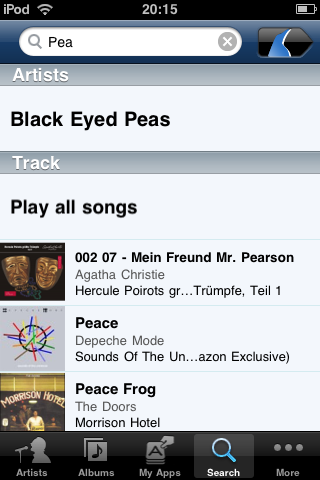
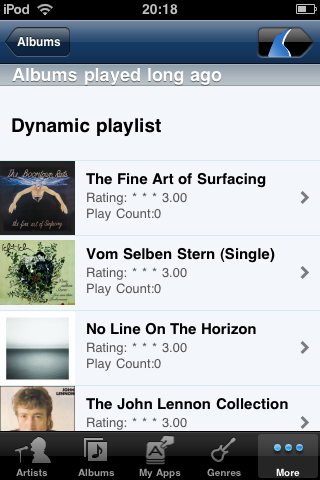
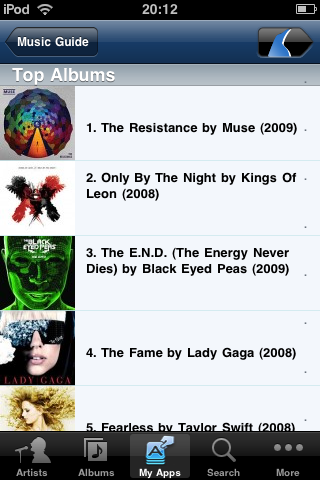
iPeng goes 1.2
iPeng 1.2 is the third major release of iPeng and like 1.1 it will bring you major changes that will make iPeng an even better Music Remote.
Optimized for Squeezebox™ Server 7.4
To begin with, iPeng 1.2 is a complementary release for Squeezebox Server 7.4 and MySqueezebox.com. It fully supports these server releases and in many places also uses similar UI concepts.
In short: Here’s what’s new:
- New Look and Icon
- New User Interface handling ambiguous functionality through context menus instead of modes.
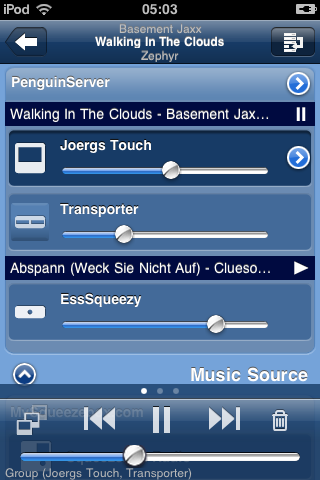
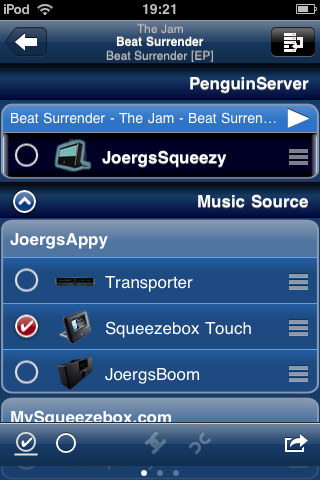
- New MultiPlayer control page that allows for easier player management (syncing, moving between sources,…)
- Group control for synced players.
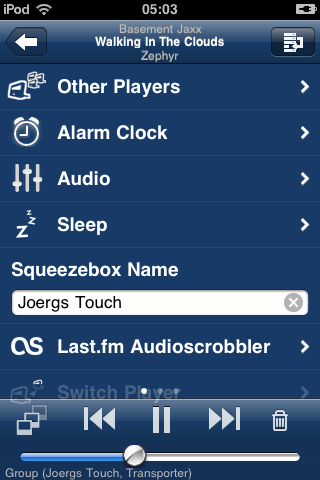
- Player context menu bundling all player features, reachable through the MultiPlayer control
- Context menus for the current track and tracks in the current playlist.
- Improved management of current playlist including option to save it.
- Quick Tutorials explain the operation of iPeng.
- Many, many details.
New User Interface and Look.
The first thing you’ll notice is changed colors.But believe me, it’s not about colors.
iPeng now has a stringent UI concept that tries to do away with the confusion around SqueezePlay menus and different play modes. iPeng’s new interface logic goes as follows:
- Every item that has more than one action attached to it does have a Context Menu
- You reach the Context Menu through a “hold” gesture (hold an item for approx. 1s). This will work almost everywhere (as long as there is something to be displayed): menus, library items, NowPlaying cover, playlist item, current player, you name it.
- Simply tapping an item will trigger the default action, most of the time this means: descend to a lower menu.
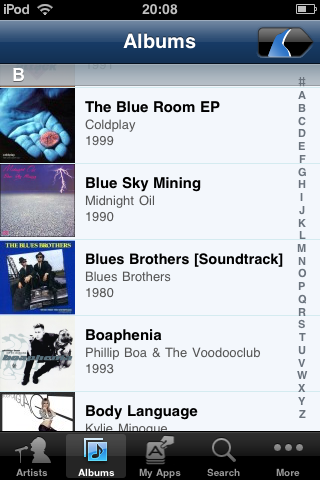
- Clicking an Album Cover (in a menu) will immediately play that album (there are one or two exceptions to this in places where it doesn’t make sense to play the album).
There is one exception: When viewing an Album or Playlist (that is: anything containing only tracks) there is still the old “mode” scheme. This is to allow you faster access to tracks for playing whole albums or building playlists; for many users these are the things they usually do with iPeng:
- There are the tree modes in the navigation bar that determine what happens when you tap a track
- play plays the whole album from that track
- add adds the track to the end of the playlist
- play-next inserts the track after the current one in the playlist.
- hold will, as always, bring up a context menu.
New MultiPlayer Control
First of all: Yes, it does scroll
. Apart from that, the whole thing has been completely redesigned.
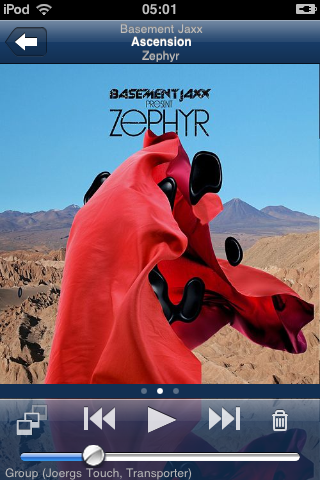
- Synced players are now grouped in sync groups that are distinguishable by the currently playing track and play state. Below this there are the individual players and you can set individual volume and power state of each player.
- The MultiPlayer control has an edit mode in which you can move players between sync groups and also music sources. This can be done through drag’n'drop or by selecting several players and clicking a command button.
Group Control
If you select a player from a sync group, the main volume and power controls no longer act on the individual player, but on the whole group. Note: this is different from the “Sync Power” and “Sync Volume” settings in Squeezebox Server since you still have individual control over each player:
- The main volume slider will show the average volume of the sync group. Moving the slider will change the volume on all players synchronously. You can change the relative volume between players using the controls on the MultiPlayer control.
- The main power button will switch power on all players. You can still change the power state of individual players using the MultiPlayer control.
Player Context Menu
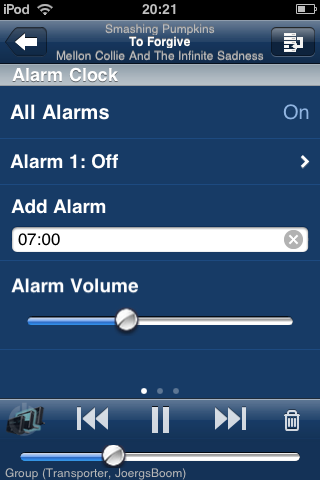
By clicking the accessory button on the current player in the MultiPlayer control or by holding the player you get to a player context menu. This menu will bundle all player specific settings and features such as
- Alarms
- Sleep
- Player name
- some plugins that act on players
- Digital Inputs (Transporter only).
NowPlaying Context Menus
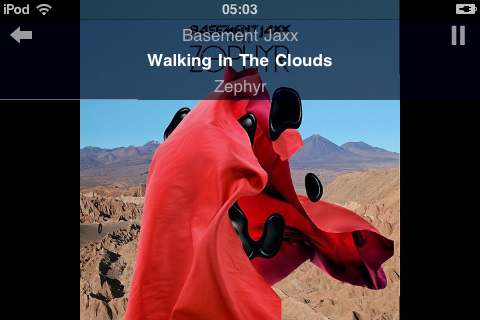
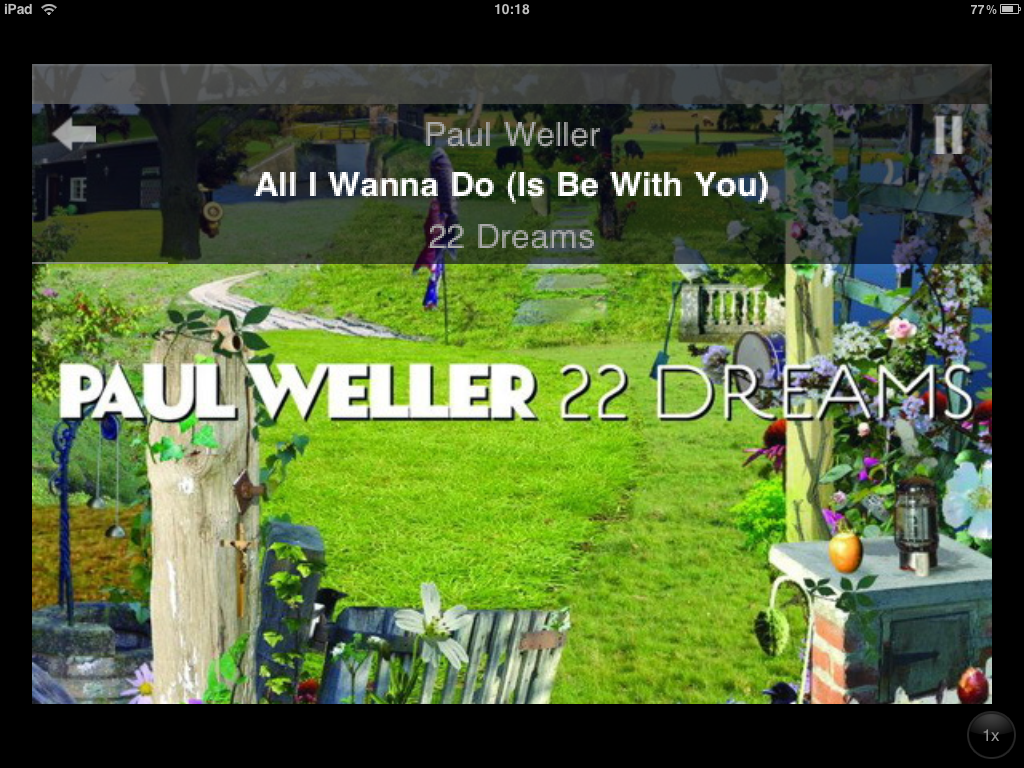
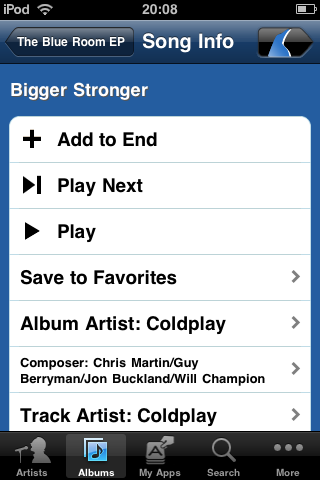
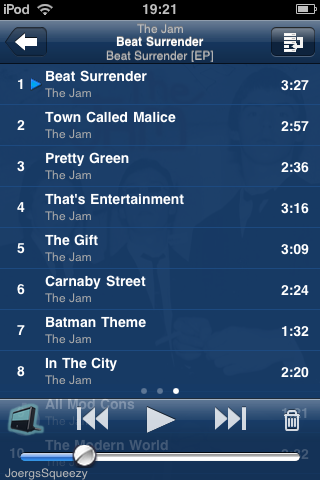
The cover art on NowPlaying and the tracks in the current playlist now have a TrackInfo context menu that allows you to access features like
- Add to favorites
- Browse by album/artist etc.
- Access similar music through Apps
- Get more Information about the track
Current Playlist
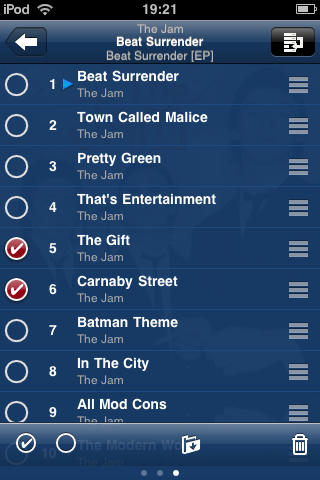
- Deleting tracks from the current playlist has been changed to a batch delete (just try it, you will understand it).
- Also, the current playlist can now be saved.
Quick Tutorials
In several places in iPeng, features you encounter for the first time will be explained by a short, animated tutorial.
And many more details…
- Keep Connection now really works (at least for 30min)
- WiFi will no longer be shut down as long as the App is in the foreground.
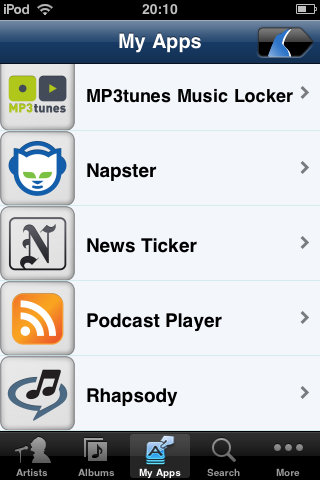
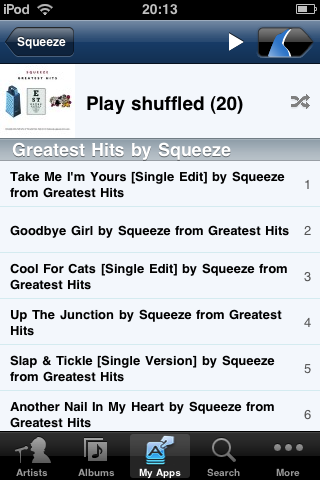
- Apps can be included in the main menu.
- there is more…
As usual: Have fun with iPeng

Thursday October 1st, 2009 at 01:54 PM
[...] es möchte die Fernbedienung von Logitech’s Squeezbox sein. Für 7,99 EUR gibt es jetzt die neue Version 1.2. Bevor man zuschlägt sollte man aber einen Blick auf die Beschreibung im App-Store werfen: einige [...]
Thursday October 1st, 2009 at 11:12 PM
Optimized for 7.4. Is this still compatible with 7.3 or should I hold of upgrading?
Thursday October 1st, 2009 at 11:18 PM
AJ,
iPeng 1.2 is still fully compatible with SC 7.3. It will have less content in some context menus and you won’t be able to use some of the new features that require 7.4 (e.g. being able to put Music Services into the top level menu) but everything that worked in 1.1.2 should work in 1.2, too.
Saturday October 3rd, 2009 at 02:36 AM
Is 1.2 a free or lower cost upgrade from 1.1.2? Or still $9.99?
Awesome app!!
Saturday October 3rd, 2009 at 03:20 AM
So far, all updates on App Store are free
Sunday October 4th, 2009 at 02:37 AM
Is there a manual addendum for the changes in 1.2? Or just some detailed info on how the player-sync settings etc. now work?
Thanks!
Sunday October 4th, 2009 at 02:43 AM
Currently in the works. Sorry.
Anything specific you don’t understand?
The general idea is that you go to the players screen and select the “edit” button on the right hand side of the top bar.
You can then Drag’n'Drop players or you can select them and issue sync/unsync/move commands from the bottom toolbar towards the selected players.
Monday October 5th, 2009 at 08:22 PM
[...] mehr Bilder gibt’s unter http://penguinlovesmusic.de/2009/10/…s-1-2/ [...]
Friday October 9th, 2009 at 12:32 AM
Downloaded 1.2 a couple of days ago and am getting used to the new features. One I haven’t found yet is MyApps which appears on a few of the screen shots. Anyone know how/where I find it?
Friday October 9th, 2009 at 09:27 AM
This is a feature of the new Squeezebox Server 7.4, you might need to upgrade to that. You can download it from logitechsqueezebox.com.
Friday October 9th, 2009 at 08:39 PM
I’m running 7.4 and have loaded a couple of applications. What I can’t figure out is how you get the applications onto the iPhone.
Friday October 9th, 2009 at 10:34 PM
They shoul Be just there under MyAps or on the main menu depending on how hou configured them when you select the player you configured them for.
Don’t you see this?
What do you see instead?
Saturday October 10th, 2009 at 10:11 AM
Hi coolio, thanks for the help.
To start from the top I’ve got a PC running Squeezebox server 7.4, a ReadyNAS with 7.3.3 (not that it is in this equation) and an iPhone 3G (UK).
My mysqueezebox account shows I have 7 apps. My iPhone is set yo sync with mysqueezebox account which is does for music and playlists but I do not see a way of getting or configuring the apps on my phone. I just do not have the Myaps icon on my phone. I’ve checked.
Oh, one last thing I do not have a player yet. That (hopefully) is coming on the 20th for my birthday… If you can find one that is. It seems Squeezebox players are in short supply in the UK.
Saturday October 10th, 2009 at 11:15 AM
This may be due to the lack of a player.
The apps are player specific so they will only show up in iPeng when you have selected a player
Saturday October 10th, 2009 at 11:17 AM
Thought I might have answered my own question when I added the comment about not having a player.
I will report back after the 20th.
Saturday October 17th, 2009 at 08:29 PM
I have 1.1.2 and can’t update to 1.2 – the app manager says that all apps are up to date. Any thoughts?
Friday October 23rd, 2009 at 06:23 PM
I am running Ipeng 1.2 using slimserver beta 7.4.1 and it is a very impressive application. I was thinking about purchasing the upcoming Squeeze Touch – but instead I bought a refurbished* Itouch 2nd gen 8Gb from apple for $150.
One question – none of the animated tutorials have appeared – wonder why?
* Apple says “refurbished” – it looks brand new and has the same 1 year warranty as a new Itouch. Go figure
Friday October 23rd, 2009 at 11:41 PM
Are you sure you’ve got 1.2 and not 1.1.2?
If your iPod is on FW 2.2, it will not show the update to iPeng 1.2 because that requires at lease FW 3.0.
If you do have 1.2, you can replay the tutorials under “Help”.
Saturday October 24th, 2009 at 05:08 AM
Yep, I have iPeng ver 1.2 and I found the tutorials under “Help”.
Thank You!
And iPeng is absolutely awesome – nice job!!!
Saturday October 24th, 2009 at 02:36 PM
Hi i got a problem with the new Ipeng 1.2. If I enter the album function and open one of the albums no music files are to be found and this goes for all albums. I have the same problem with artists Ipeng 1.2 list all the album names but still no songs attached!
I’m on 7.4.1 and Ipen 1.2 I have tried to rescan no luck. All my music files are type FLAC
Saturday October 24th, 2009 at 03:21 PM
Please try
Settings->iPeng Settings->Flush Cache
Also, please make sure that the scan on your server is finished
Saturday October 24th, 2009 at 03:42 PM
Hi Coolio,
Thanks mate for the idea but sorry but no luck so far. The problem is still the same there are no music files atached to the albums. If i use SQ. web software it works no problem but not from Ipeng 1.2. Can this have something to do with my FLAC files?
Saturday October 24th, 2009 at 03:52 PM
Hi again,
Another run with the flush cache did the trick. Thanks for all your help.
Best
From Norway
Sunday October 25th, 2009 at 12:53 AM
Since installing Ipeng 1.2 a few days ago, I have enjoyed using it’s many excellent features.
However, I have run into one problem. When I am adding an album to a playlist, it seems that the “sensitivity” of the Itouch (8 Gb – 2nd gen – FW3.1) is such that when I try to select an album and then pressing for 1 sec. to get to the “add, play etc” screen – that it is hit or miss whether the new album will start to play instantly and thus wipe out the playlist – or – do as I expect and add it to the current playlist. (I have set “mode” to the “+” sign in the relevant screen.)
What am I doing wrong?
Claus
Sunday October 25th, 2009 at 12:59 AM
The issue is, that if you move your finger just a bit while holding the context menu will not come up.
I agree this needs tweaking, could you file a ticket so I don’t forget it?
https://trac.penguinlovesmusic.de/trac/ipengnat/
There’s a workaround: If you don’t get a context menus after 1s, move your finger more until the selection is gone, then you will get no action at all (or just a little scrolling).
Sunday October 25th, 2009 at 04:13 PM
Would it not be more intuitive if tapping once on the song or album would get the context menu – and – holding for 1s would play the selection and delete the current playlist (if any)?
P.S. tried to file a ticket by clicking on the link and I got a warning about unsecure site without certificate
Sunday October 25th, 2009 at 06:44 PM
Intuitive – maybe. Although as it is right now it works like the iPhone so should be pretty intuitive for iPhone users.
The main reason why it is as it is now is because this is more efficient. The default should always be the option people use most and this is simply playing a song.
Most important design principle for iPeng is: long term, it’s use has to be fast, I do accept if some things need to be learned for that.
Also, this is how the new Squeezebox UIs work, so should be pretty intuitive for new Squeezebox owners, too.
On the certificate: This is just a self-signed certificate. You don’t have to enter any personal data so it’s safe to accept it. I just use it so that you will not passwords sent unencrypted since a lot of people use the same passwords on may sites and it is extremely simple to sniff these passwords in e.g. WiFi networks if done without SSL.
Monday October 26th, 2009 at 06:51 PM
Looks like you have already fixed the “Reduce sensitivity for touch-and-hold” issue in Ticket #169 (closed Bug report: fixed).
Your work on future features and enhancements of iPeng is really impressive, Jorg!
Greetings from a Happy user in Seattle
Monday October 26th, 2009 at 06:59 PM
Yes, once I was aware of the issue it wasn’t a particularly difficult fix.
Will take a few weeks to show up on the App Store, though. Have to count one week beta testing plus two weeks App Store approval.
Cheers!
Sunday November 1st, 2009 at 12:54 AM
i love my iPeng — it’s a very cool way to control my SC. i often use SC to play Pandora, and i was quite impressed to discover that i can use iPeng to display the current song being played on Pandora, and even tell it to skip to the next song. I haven’t yet found a way to use iPeng to tell SC to play Pandora (if its not currently playing) and choose the station i want to play. Is there a way to do that? That woud be VERY cool.
congrats on a very cool app — worth every penny!
Sunday November 1st, 2009 at 12:58 AM
Ok, ignore that last comment — i just found it! i was looking for “music services,” which is what SC calls it. It’s under “Radio.”
this app is TOTALLY COOL
Wednesday November 4th, 2009 at 10:16 AM
Can the volume control be adjusted to raise or lower in increments of 1? Right now it bumps the volume in steps of 5 which is very steep in my setup!!!
Wednesday November 4th, 2009 at 10:25 AM
You mean using the volume keys? The slider does support single steps. Could you file an enhancement request for this?
https://trac.penguinlovesmusic.de/trac/ipengnat/
BTW, does this mean you use low volume and have your amp turned up? That may not give the best results from a quality standpoint since at low volumes the digital volume control on the Squeezebox generates quantization losses, there you’d better use the “upper” 50% of the volume range.
Or is this a Boom, that one does indeed have a very steep ramp at low volumes.
Saturday November 7th, 2009 at 12:53 AM
This is a seriously nice upgrade! Thanks for the new features and increased usability.
Wednesday November 18th, 2009 at 05:27 PM
Great plugin!
Quick question, and sorry if I could have found this somewhere easily (I did look): How do I save a radio station to favorites when my player is attached to my local server? (I’m using ipeng 1.2 and slimserver 7.4.2). I can do it when the player is attached to mysqueezebox.com, e.g. I can save a radio station to “favorites”.
Thanks,
Andy
Wednesday November 18th, 2009 at 06:40 PM
You have to play it, then while it plays, you can “hold” the big cover art on the “NowPlaying” screen for 1s and you get a context menu from which you can “Save to Favorites”.
Wednesday November 18th, 2009 at 07:13 PM
Great, thanks–I’ll try it tonight. I think I’m about ready to try ipeng on my wife. (incredibly good user support, of course)
Thursday November 19th, 2009 at 06:04 PM
Have one problem with Ipeng 1.2.
It crashes whenever I use it to try and change the display brightness on my Squeezebox Boom.
Is this a common issue?
Other than that it works perfectly.
Thursday November 19th, 2009 at 07:44 PM
Do you access this through the Player Context menu?
That’s a known issue on these menus that will be fixed in the upcoming 1.2.1 release currently under review with Apple.
However, when I try this it does in fact work for me. Which server version do you use? Or is the MySqueezebox.com?
Sunday November 22nd, 2009 at 11:32 AM
Yes I’ve been accessing through the “more” menu and “player settings”. I normally use my Boom via MySqueezebox.com.
Thanks.
Sunday November 22nd, 2009 at 03:20 PM
OK, I could now reproduce this.
Looks like a combination of a bug in iPeng (unfortunately not fixed in 1.2.1) and one in MySB (it also doesn’t work using the Controller).
So you will have to use the menu on the Boom for the time being. I’ll fix this in iPeng 1.3 which hopefully will also work around the bug in MySB, maybe the bug in MySB becomes fixed earlier.
Thanks for reporting
https://bugs.slimdevices.com/show_bug.cgi?id=15174
https://trac.penguinlovesmusic.de/trac/ipengnat/ticket/181#comment:1
Tuesday November 24th, 2009 at 12:50 PM
Hi,
I just discovered 1.2 was out. From a post above I see if i had firmware version 3 the touch would have notified me that an update was available.
But thieving apple want to charge me $10 for this FW update.
Is there any way to update ipeng without updating the touch FW?
btw, why don’t update notifications work for earlier FW?
Tuesday November 24th, 2009 at 04:38 PM
Sorry, yes, iPeng 1.2 depends on iPhone/iPod firmware 3.0.
The problem is, it doesn’t only use new functionality (which it does) but it’s also depending on a number of bug fixes/improvements in 3.0, for example regarding the two-way scrolling on the NowPlaying screen. There’s really no way to get all this done in 2.x.
Didn’t Apple reduce the update price to 5$ when 3.1 came out? I thought I had seen something like that but I’m not sure.
Also, I have no idea how you could get the notifications (from Apple) when the OS is not updated, I think they only show what’s applicable for the device. I might send around an e-mail to registered users when 1.3 comes out (which probably will not require another paid OS update).
Tuesday November 24th, 2009 at 05:48 PM
I have ipeng 1.2 on the iphone. I just want to play rhapsody. How do I set that up? What is the server address that I put in?
I have looked through the site, and I thought I saw that info once, but can’t seem to find the server information again.
Thanks
Tuesday November 24th, 2009 at 06:29 PM
This depends on which Squeezebox Server you are using.
You don’t have to add any Rhapsody servers.
If you use SqueezeCenter (server versions until 7.3) Rhapsody will be under “Radio” (in iPeng)
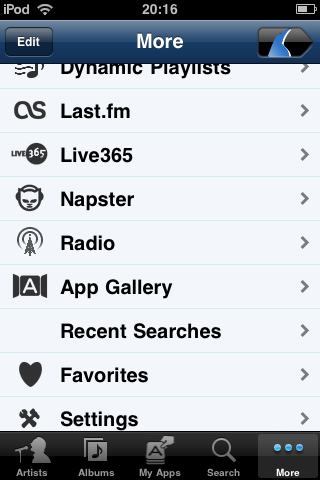
If you use Squeezebox Server or MySqueezebox.com (former SqueezeNetwork) you have to add Rhapsody as an “App” under “App Gallery”, as soon as you have done that (or if you used Rhapsody before) it will show up under “My Apps”.
Tuesday November 24th, 2009 at 07:49 PM
Re. FW 3.x
Ahh, OK. You’re right, it is $5, my mistake.
still a rip off though, and worst of all, I have to reinstall iTunes/store, which doesn’t work properly on the pc… uness run as administrator! and then remove all the extra rubbish apple install along with it. argh! Or maybe try one of those hacks I’ve read about!
Worth it for the ipeng update – I want that favourite radio functionality!
Tuesday November 24th, 2009 at 07:51 PM
ps – the “rant” aside tags were automatically removed from the above post – I guess you can work out where they were meant to be!
Tuesday November 24th, 2009 at 08:43 PM
Thanks. I have enabled the app.
It tells me ‘your player is not authorized to use mysqueezebox.com’ when I select the MYAPPS on my iphone.
At mysqueezebox.com, it shows ‘not connected’ as my status when I select the ‘Players’ tab.
-jojo
Wednesday November 25th, 2009 at 02:02 AM
Is your player also connected to MySqueezebox.com?
What kind of player do you use? Some of the SW players (e.g. Squeezeslave) do not work with streaming services but all Squeezeboxes should.
Thursday November 26th, 2009 at 03:06 PM
After 4 hours finally got FW3 installed on the ipod touch.
It was a nightmare – for anyone else who encounters the dreaded upgrade failure (where the touch ends up in a needs-to-be-restored state but the restores keep failing) what worked for me was: killing the itunes process during the restore process at the point immediately after the touch screen flashed and went blank, then running itunes and the restore again.
Here’s a url for this workaround, though I don’t know if it will get posted:
http://discussions.apple.com/thread.jspa?threadID=1618389&tstart=0
It’s ironic that apple should so pride itself on usability of its products – it’s a *long* time since I’ve come across software as bad as this.
Thursday November 26th, 2009 at 03:08 PM
ps – good job on ipeng 1.2!
Saturday November 28th, 2009 at 06:23 PM
I just dowloaded ipeng 1.2.1 and love it. Just have one question and a couple of things that don’t appear to be working right.
I’m confused by the multiplayer screen. It’s not clear to me what the circle with the checkmark and line above or below it do. I’m pretty UI savvy but this has me baffled.
I also noticed when using MySquuezebox.com that oftentimes I was unable to browse settings, etc. without first closing and then reopening ipeng. The music kept playing fine, but I couldn’t access info via ipeng until I restarted the app.
One last thing – when trying to indicate that I like a track in Pandora, it doesn’t seem to be working. The option is there, but clicking on it has no effect.
Sunday November 29th, 2009 at 06:58 PM
Hi, I’ve been using iPeng now for a good few moths. Amazing App. Thanks.
Unfortunately, since updating to 1.2.1 I have a problem. The iPeng App cannot find my Player (Squeezebox Classic). I can “see” and operate my player on Mysqueezebox.com but my iPeng cannot find it.
Any ideas? (I had absolutely no problems before updating)
Thanks and keep up the good work.
Best regards from germany
Steve
Sunday November 29th, 2009 at 09:49 PM
Steve,
please try to uninstall and reinstall iPeng, this should solve the issue.
See more:
http://penguinlovesmusic.de/ipeng-the-iphone-skin-for-squeezecenter/how-to-use-the-ipeng-application/known-issues/
Friday December 4th, 2009 at 08:03 PM
Hey Joerg,
thanks for the tip. That did the trick.
I was pretty sure that I’d read the FAQs before posting. I must have overlooked that Item.
Sorry for any trouble and thanks for the really prompt answer.
I look forward to future updates of this great program.
All the best
Steve
Sunday January 17th, 2010 at 07:34 AM
hi,
i’ve finally got my squeezebox up and running in my system. my problem being i cannot switch between sources without losing the connection completely. for example let’s say i’m streaming music from itunes via SC on my mac, when i switch to SN and select the player i want it shows the message “player cannot be found”. switching back to SC on the mac shows the same message. both sources function normally prior to switching. right now i have to unplug the player each time i want to switch sources.
help appreciated at this point.
ronin
Sunday January 17th, 2010 at 02:42 PM
Is you “MySqueezebox.com” account set correctly in your server?
Is iPeng connected to the same “MySB account” as your players?
Can you see your players in MySqueezebox.com (the web interface) when you connect them there?
You don’t use SBS 7.5.0, don’t you? That one uses “www.test.squeezenetwork.com” as “MySB” server, you will have to add that server manually to iPeng.
Sunday January 17th, 2010 at 03:43 PM
yes, it connects to mysqueezebox no problems and it’s the same account. i only encounter the loss of connection when i switch sources. i only have one player so i’m not sure where the problem lies. i’m running version SBS 7.4.1
Sunday January 17th, 2010 at 06:38 PM
How do you switch sources? (can you describe the steps)
What kind of player is this? Maybe a Receiver you configured with Net::UDAP?
Sunday January 17th, 2010 at 07:50 PM
in ipeng i swipe right to reveal the page to the left which lists the active sources on my network. all appear without prompt. from here i select the alternative source and check the box to switch player to that source. then i get the message described above.
by default in Net:UDAP it is set to connect to mysqueezebox. maybe i can send you a list of the current settings? and yes, my receiver is configured with Net:UDAP
Sunday January 17th, 2010 at 10:55 PM
Ah. You can’t connect it to your LOCAL server, is that the issue?
Do you address the server over internet or are you connected to the same network? I believe iPeng has to be on the same network to make this work. Also, I’m not 100% sure, maybe the Receiver has to have been connected to the server once before you can send it back to that one, have you tried to configure it using Net::UDAP?
Monday January 18th, 2010 at 12:43 AM
ipeng will connect to SC but only if i reset (power off and on) the player. and the same is true if i want to switch back to mysqueezebox.
ipeng also needs to be restarted for the change to occur.
the receiver has been successfully connected to all available sources.
if ipeng needs to be on the same network in order to make the switch, does this mean a computer running SC needs to be active to use ipeng?
would this be easier if i sent you my Net::UDAP configuration?
Monday January 18th, 2010 at 12:50 AM
No, I don’t use Net::UDAP myself.
But could you mail me at coolio att penguinlovesmusic dott com, this is getting a bit lengthy and I still do not fully understand, what exactly the problem is. Do you have issues connecting iPeng to the server or the player?
iPeng should see the player whenever it’s connected to the same server as the player, I was under the impression that the problem here is to move the player between sources, not iPeng?